















Descargas de software
Para que usted pueda beneficiarse de la mejor forma posible de las funciones de este Sitio de soporte, se recomienda que se identifique.
No dude en crear una cuenta si aún no lo ha hecho. Haciendo clic en Mi Cuenta, usted puede en cualquier momento cambiar la información que nos ha facilitado.
El grupo Chauvin Arnoux desea proporcionarle un servicio on line eficiente; si desea hacernos llegar sus comentarios, envíenos un correo electrónico a support@chauvin-arnoux.com.
19 resultado(s) :
CA Link, CE Link, Machine Link
Below are the links to download the latest versions of CA Link, CE Link and Machine Link.
| calink_2_0_3.zip | |
| software_celink_v3.8.zip | |
| machinelink_2.1.zip |
PEL Transfer
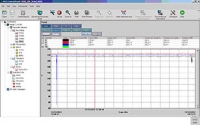
The PEL Transfer software can be used to control the PEL51, PEL52, PEL102, PEL103, PEL104, PEL105, PEL106, PEL112, PEL113 and PEL115 power and energy loggers.
The PEL Transfer software is a tool for:
- Configuring the instruments,
- Downloading and viewing the data stored in the memory,
- Performing instantaneous acquisition operations,
- Displaying the data in the form of tables or graphs,
- Exporting the measurement data into (*.dvb files) or into a spreadsheet.
This evolution brings new features:
- Add czech language
- bugs fixed.
Compatible with Windows 7, 8, 8.1 , 10 and 11
Caution : DataView is not supplied with the PEL Transfer software
| pel_transfer_v2.8.15973.zip | Update : 07/2024 Language : Multilingual Version : v2.8.15973 |
Software EasyScope X
EasyScope X_V1.01.02.01.22
EasyScope

Designed for METRIX DOX series oscilloscopes, EasyScope lets you :

Data processing (CSV file);
Import screenshots and configurations;
Send SCPI commands;
Communicate (to PC or printer)
Store recordings on USB key.


Compatible with the following devices:

DOX2025B
DOX2070B
DOX2100B


Version: v1.01.02.01.22

Update date :

26/07/2024
| installeasyscopex_dox3000.exe | Date de mise à jour : 23/11/2015 Langue : Multilingue Version : v1.0 |
| easyscopex_v1.01.02.01.22_en.zip | Update 26/06/2024 language : multilingual Version: v1.01.02.01.22 |
Firmware for CA 6116N and CA 6117
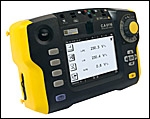
The CA 6116N and CA 6117 are ALL-IN-ONE tools for testing electrical installations according to the national and international standards (IEC 60364-6, NF C 15-100, VDE 100, XP C 16-600, etc). They combine design, ergonomics, simplicity, performance, rapidity and accuracy. Suitable for all types of neutral systems (TT, TN, IT), it is ideal for use in all sectors: industry, tertiary and housing.
| Loader pour CA 6116N et CA 6117 |
|
Download the latest version of the firmware for the CA 6116N and CA 6117 and take advantages of the very latest improvements.
---------------------------------------------------------------------------------------------------
Pack1 installs the languages : DE-GB-ES-FR-IT Pack2 installs the languages : PL-GB-CS-DE-SV Pack4 installs the languages : GB-SV-Fi-GB-GB
|
| ca_611x-_reading_before_install.pdf | |
| install-loader_for_ca6117-v3.00.0_2.00.22_pack1.exe | Mise à jour : 08/2024 Langue : Pack1 Version Firmware : 2.00.22 |
| install-loader_for_ca6117-v3.00.0_2.00.22_pack2.exe | Mise à jour : 08/2024 Langue : Pack2 Version Firmware : 2.00.22 |
| install-loader_for_ca6117-v3.00.0_2.00.22_pack4.exe | Mise à jour : 08/2024 Langue : Pack4 Version Firmware : 2.00.22 |
Firmware Scopix IV v1.13
Warning : this firmware version v1.13 is only compatible with v6.3 of the SX-Metro software
Manual firmware upgrade for the following oscilloscopes : OX 9062, OX 9102, OX 9104, OX 9304, OX 9302-BUS.

Please follow the recommendations in file : scopix_IV_firmware_installation_manual_procedure.pdf

To upgrade your oscilloscope, you need to download the "x04726n00_scopixiv_upgrade.zip"
| scopix_iv_firmware_installation_manual_procedure_0.pdf | Update installation procedure |
| x04726n00_scopixiv_upgrade.zip | Updated : 09/2024 Version : v1.13 |
MTT Machine Tester Transfer Software v1.4.6
MTT Machine Tester Transfer Software v1.4.6
The MTT software allows you to control the instrument and analyse the measurements made with your CA 6161 / CA 6163.
Main functions
The MTT software is a tool for:
Configuration of the instrument,
Downloading and viewing data in memory,
Generation of reports from the measurement data.
- Configuration of the instrument,
- Downloading and viewing data in memory,
- Generation of reports from the measurement data,
- Creating Auto Script(s)
- Creating Customized Visual Inspection(s)
The software is available in 6 languages: German, English, Spanish, French, Italian and Portuguese.
To install, extract the zip file into a single folder, then run the setup.
Minimum computer requirements:
Windows® 10 or later
4 GB RAM
10 GB of disk space
Microsoft Office® 2016 or later for viewing and editing docx reports.
Windows® and Office® are registered trademarks of Microsoft®.
| log.ct_.pl_.mtt_.v1.4.6.zip | Updated : 09/2024 Language : multilingual Version : 1.4.6 |
SX-DMM V3.6
SX-DMM Software V3.6
SX-DMM v3.6 software
SX-DMM is a Microsoft Windows PC-compatible software package for a number of METRIX and CHAUVIN ARNOUX multimeters which allows :
- Acquire, record and process measurements from up to 4 instruments.
- Display data in the form of curves and tables.
- ...
Compatible with the following devices:
METRIX multimeter:
MX5060 (USB link)
MTX3281 (optical link or Bluetooth link, depending on model)
MTX3282 (optical link or Bluetooth link, depending on model)
MTX3283 (optical link or Bluetooth link, depending on model)
MTX3281B (optical link or Bluetooth link, depending on model)
MTX3282B (optical link or Bluetooth link, depending on model)
MTX3283B (optical link or Bluetooth link, depending on model)
MTX3290 (optical link)
MTX3291 (optical link)
MTX3292 (optical link or Bluetooth link, depending on model)
MTX3293 (optical link or Bluetooth link, depending on model)
MX26 (optical link)
MX58HD (with RS232 option)
MD59HD (with RS232 option)
MX53C (with RS232 option)
MX54C (with RS232 option)
MX56C (with RS232 option)
MX556 (RS232 link)
MTX3250 (RS232 link)

METRIX brand HandScope :
OX5022 (in multimeter mode, optical/USB link)
OX5022B (multimeter mode, optical/USB link)
OX5042 (in multimeter mode, optical/USB link)
OX5042B (in multimeter mode, optical/USB link)

CHAUVIN ARNOUX multimeter:
CA 5292 (optical link or Bluetooth link, depending on model)
CA 5293 (optical link or Bluetooth link, depending on model)

CHAUVIN ARNOUX HandScope :
CA 922 (in multimeter mode, optical/USB link)
CA 942 (in multimeter mode, optical/USB link)

System :
Requires a PC compatible computer running one of the following operating systems:
- Microsoft Windows 11
- Microsoft Windows 10 32-bit (x86)
- Microsoft Windows 10 64-bit (x64)
- Microsoft Windows 8.1 32-bit (x86)
- Microsoft Windows 8.1 64-bit (x64)
- Microsoft Windows 8 32-bit (x86)
- Microsoft Windows 8 64-bit (x64)
- Microsoft Windows 7 32-bit (x86)
With a 1GHz processor or higher, 512MB RAM, 10GB free hard disk space, equipped with a serial or USB port.

Languages
Version in 5 languages: English, French, German, Italian and Spanish.
CP210x Universal Windows Driver v11.3.0 USB drivers for Windows 10 / 11
CP210x_Windows_Drivers v6.7.3.zip USB drivers for Windows 7/8/8.1
| cp210x_universal_windows_driver.zip | USB drivers for Windows 10/11 |
| cp210x_windows_drivers_v6.7.3.zip | USB drivers pour Windows 7/8/8.1 |
| cp210x_universal_windows_driver_releasenotes.txt | |
| x02011s00_sxdmm_v3.6.zip | Updated : 10/2024 Language : Multilingual Version : V3.6 |
METRIX firmware for SCOPIX oscilloscopes
Firmware upgrade for the following oscilloscopes:
-MTX3x52 v1.x --> v1.07
-MTX3x52 v2.x --> v2.11
-MTX3x52 v3.x --> v3.05
-MTX3354 --> v3.05
-HandScope --> v1.05
-handscope B --->v2.01
- SCOPIX I: OX7042, OX7062, OX7102, OX7104 v1.0x --> v2.24
- SCOPIX II: OX7042, OX7062, OX7102, OX7104 v3.0x --> v3.24
- SCOPIX II: OX7202, OX7204 v4.0x --> v4.24
- SCOPIX III: v4.xx --> v4.24
- SCOPIX BUS: v5.xx --> v5.26
- OX6000 --> v1.09
- OX6000 II: OX6062, OX6202, OX6204 v2.x --> v2.24

UPDATE :
15/11/2024
NB: This upgrade does not concern the SCOPIX IV range.
Follow the recommendations in the file Instructions.pdf.
Installation:
To upgrade your oscilloscope, you must download the LoaderScope software.
The first time you execute the application, it will de-install the old version. You must then execute the program a second time to install the new version v3.2.
| instructions.pdf | Update: 28/11/2024 Language: Multilingual Version : V3.2 |
| loaderscope_v3.2.zip | Update: 28/11/2024 Language: Multilingual Version : V3.2 |
Firmware update
Firmware update for the devices C.A 1110, C.A 1227, CA 1550, C.A 1246, C.A 1821, C.A 1822 and C.A 1823 in version v4.28
To update your product, first check your firmware (embedded software) version by pressing and holding the following two buttons: the center button + the MEM/REC button.
If your product has firmware version 1.xx or 2.xx, please download firmware version 2.xx.
If your product has firmware version 4.xx, please download the 4.xx firmware.
Embedded software update procedure
- Download the .bin file from our web site, then press and hold the MEM key and switch the instrument on by pressing the ON/OFF key. The instrument displays BOOT.
- Release the keys and the instrument displays COPY, indicating that it is ready to receive the new software.
- Connect the instrument to your PC using the USB cord provided.
- Copy the .bin file to the instrument as if were a USB key.
- When the copying is done, press the MEM key and the instrument displays LOAD, indicating that the software is being installed.
- When installation is done, the instrument displays PASS or FAIL according to whether or not the operation succeeded. If installation fails, download the software again and repeat the procedure.
- Then the instrument restarts normally.
CAUTION : After the firmware update, you will have to update the Bluetooth module.
| ca1110_firmware_v2.00.zip | Updated : 09/11/2017 Version : V2.00 |
| fw_ca1110_v4.28.zip | Updated : 21/10/2025 Version : V4.28 |
| ca1227_firmware_v2.00.zip | Updated : 09/11/2017 Version : V2.00 |
| fw_ca1227_v4.28.zip | Updated : 21/10/2025 Version : V4.28 |
| ca1246_firmware_v2.00.zip | Updated : 09/11/2017 Version : V2.00 |
| fw_ca1246_v4.28.zip | Updated : 21/10/2025 Version : V4.28 |
| ca1821_firmware_v2.00.zip | Updated : 09/11/2017 Version : V2.00 |
| fw_ca1821_v4.28.zip | Updated : 21/10/2025 Version : V4.28 |
| ca1822_firmware_v2.00.zip | Updated : 09/11/2017 Version : V2.00 |
| fw_ca1822_v4.28.zip | Updated : 21/10/2025 Version : V4.28 |
| ca1823_firmware_v2.00.zip | Updated : 09/11/2017 Version : V2.00 |
| fw_ca1823_v4.28.zip | Updated : 21/10/2025 Version : V4.28 |
| ca1550_firmware_v2.00.zip | Updated : 09/11/2017 Version : V2.00 |
| fw_ca1550_v4.28.zip | Updated : 21/10/2025 Version : V4.28 |
Data Logger Transfer
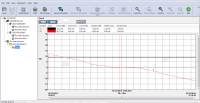
Data Logger Transfer software allows you to pilot your loggers.
With the software Data Logger Transfer, you will be able to :
- Setup the instruments,
- Download and display the trends,
- Display real time values,
- Display data in curves or table,
- Export automatic reports in Word (.docx format),
- Export data into Dataview (.dvb files) or into Excel
Compatible with Windows 7, 8, 8.1,10 and 11
Attention: DataView is not provided with the software Data Logger Transfer
| data_logger_transfer_v2.2.0309.zip | Updated : November 2025 Language : Multilingual Version : v2.2.0309 |
MTT Machine Tester Transfer Software v2.0.10
MTT Machine Tester Link Software V2.0.10
The MTT software allows you to control the instrument and analyse the measurements made with your CA 6161 / CA 6163.
Main functions
The MTT software is a tool for:
Configuration of the instrument,
Downloading and viewing data in memory,
Generation of reports from the measurement data.
- Configuration of the instrument,
- Downloading and viewing data in memory,
- Generation of reports from the measurement data,
- Creating Auto Script(s)
- Creating Customized Visual Inspection(s)
The software is available in 6 languages: German, English, Spanish, French, Italian and Portuguese.
To install, extract the zip file into a single folder, then run the setup.
Minimum computer requirements:
Windows® 10 or later
4 GB RAM
10 GB of disk space
Microsoft Office® 2016 or later for viewing and editing docx reports.
Windows® and Office® are registered trademarks of Microsoft®.
| log.ct_.pl_.mtt_.v1.4.6.zip | Updated : 09/2024 Language : multilingual Version : 1.4.6 |
| 696824b00_log.ct_.pl_.mtt2_.v2.0.10.zip | Updated : 12/2025 Language : multilingual Version : 2.0.10 |
PC Software : CAmReport
Software for thermogram analysis and automatic report creation
The CAmReport software is equipped with a very simple user interface for:
> Analysis of the thermograms with the following tools:
    - Cursors (automatic display of the temperature at the point selected).
    - Thermal profile (automatic display of the Min/Max/Avg temperatures on the line).
    - A square or circle for area analysis
    - Polygons and polylines for more accurate analysis of certain areas in the thermogram.

Results tables quickly and automatically display all the information/analysis tools on the thermogram.
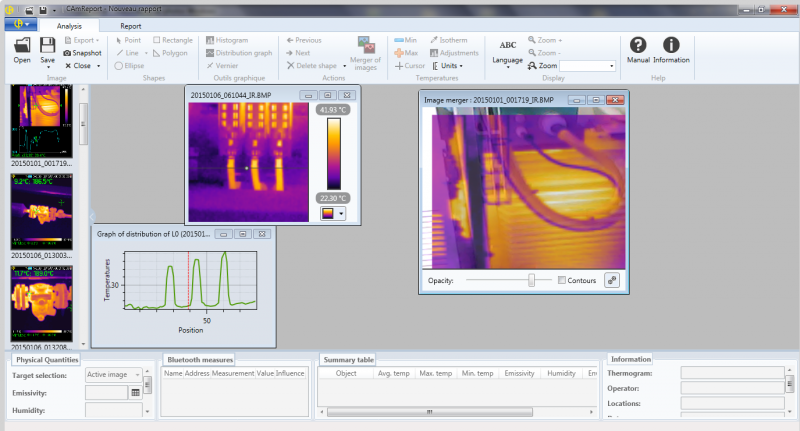
> Recovery of voice comments or related measurements
> Automatic merging of the thermal and real images recorded simultaneously
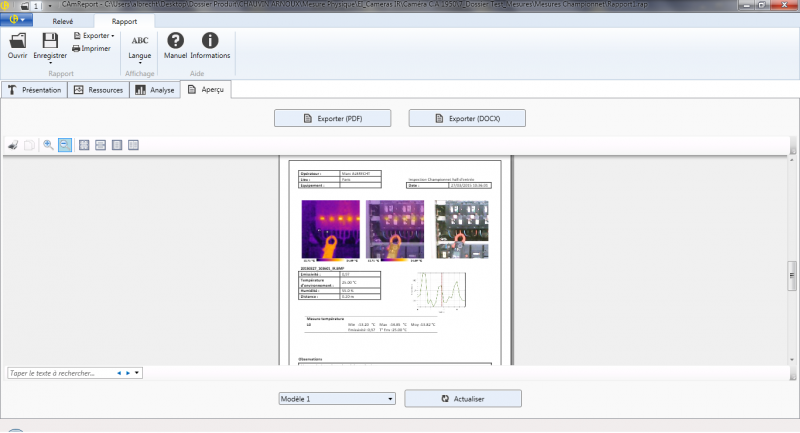
> Automatic creation of reports for export in .pdf or .docx format.
Configuration required:

Windows 10/ Windows 11 :
850 MB RAM for 32-bit
2 G for 64-bit
NET Framework 4.0 minimum

System: Windows 10 and Windows 11

Language: Multilingual (15 languages including French, English, German, Spanish, Italian , Dutch, Polish, Romanian, Czech, simplified Chinese, Portuguese, Swedish, Finnish, Turkish, Korean)


Version: v2.3.0 compatible with camera model C.A 1950 & CA1954.
Contains automatic update
CAmReport crashing after the Windows update
A cumulative update was rolled out on December 13th 2022. This update is responsible for systematically crashing CAmReport during report previews.
This issue was addressed in out-of-band updates released January 31, 2023
Link to Microsoft's procedure and access to corrective updates:
| install_camreport_v2.2.5.exe | Updated : 13/04/2018 Languages : Multilingual (15 languages) Version : v2.2.5 |
| install_camreport_release_2.3.0.0.zip | Updated : 22/01/2026 Languages : Multilingual (15 languages) Version : v2.3.0 |
PC Software : CAmReport AI
Thermographic analysis software equipped with Artificial Intelligence
Thermographic analysis software equipped with Artificial Intelligence
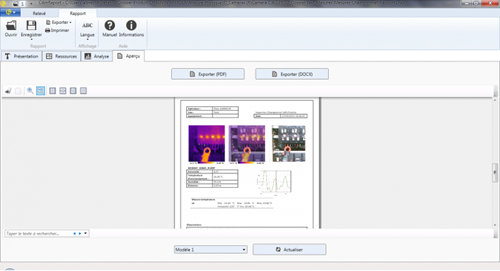
The CAmReport AI software is equipped with a very simple user interface for:
> Analysis of the thermograms with the following tools:
- Cursors (automatic display of the temperature at the point selected).
- Thermal profile (automatic display of the Min/Max/Avg temperatures on the line).
- A square or circle for area analysis
- Polygons and polylines for more accurate analysis of certain areas in the thermogram.
Results tables quickly and automatically display all the information/analysis tools on the thermogram.
.
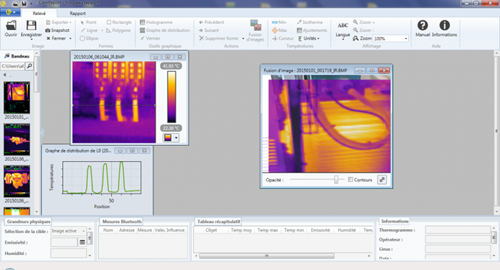
> Recovery of voice comments or related measurements
> Automatic merging of the thermal and real images recorded simultaneously
> The AI assistant analyses the equipment and automatically fills in observations and recommendations from your image,saving you valuable time.
> Automatic creation of reports for export in .pdf or .docx format.
Configuration required:
Windows 11 :
850 MB RAM for 32-bit
2 G for 64-bit
NET Framework 4.0 minimum
System: Windows 11
Language: Multilingual (15 languages including French, English, German, Spanish, Italian , Dutch, Polish, Romanian, Czech, simplified Chinese, Portuguese, Swedish, Finnish, Turkish, Korean)
Version: v3.0.0.0 compatible with camera model C.A 1950 & CA1954.
| install_camreport_ai_3.0.0.0.exe | MUpdated : 03/2026 Languages : Multilingual (15 languages) Version : v3.0.0.0 |
MTT Machine Tester Transfer Software v2.1.3
MTT Machine Tester Link Software V2.1.3
The MTT software allows you to control the instrument and analyse the measurements made with your CA 6161 / CA 6163.
Main functions
The MTT software is a tool for:
Configuration of the instrument,
Downloading and viewing data in memory,
Generation of reports from the measurement data.
- Configuration of the instrument,
- Downloading and viewing data in memory,
- Generation of reports from the measurement data,
- Creating Auto Script(s)
- Creating Customized Visual Inspection(s)
The software is available in 6 languages: German, English, Spanish, French, Italian and Portuguese.
To install, extract the zip file into a single folder, then run the setup.
Minimum computer requirements:
Windows® 10 or later
4 GB RAM
10 GB of disk space
Microsoft Office® 2016 or later for viewing and editing docx reports.
Windows® and Office® are registered trademarks of Microsoft®
| 696824d00_log.ct_.pl_.mtt2_.v2.1.2.exe | Updated : 03/2026 Language : multilingual Version : 2.1.2 |
| 696824e00_log.ct_.pl_.mtt2_.v2.1.3.exe | Updated : 07/2026 Language : multilingual Version : 2.1.3 |
Firmware update CA 6161 - CA 6163 v 2.0.8
You will find hereafter an important firmware update for CA 6161 / CA 6163 instruments.
The attached procedure (file readme.pdf) describes how to update the CA 6161 / CA 6163 instruments while using MTT software
| 696268n_fw616x_v0.2.02_usemtt.zip | Updated April 2025, languages: multilingual Version : 2.0.2 |
| 696268r_fw616x_v0.2.08_usemtt.zip | Updated June 2026, languages: multilingual Version : 2.0.8 |
PAT 3 Software v1.8 & Samples
The PAT 3 Software - Power Analyser Transfer allows you to control your CA 8345 energy analyser.
To download this software, please click on the entilted file "x05077j00_pat3_1.8.zip" and unzip it. After that, double click on the "Setup.exe" to install it.
The PAT 3 Software is a tool for :
- Configure your CA 8345,
- Download and view data in memory,
- Make instantaneous acquisitions,
- Display the data in tabular or graphical form,
- Export measurement data to DataView (*.dvb files) or to a spreadsheet.
Once the PAT 3 software is installed, you can download the samples below which are available to you. To do this, download the file and unzip it. Once you have done this, save the file to /DataView/DataFiles/Qualistar Class A.
Recordings samples are :
- Trends
- Alarms
- Configuration
- Inrush
- Monitoring
- Photos
- Transcients
| pack_sample_pat3.zip | update 11/2022 |
| x05077j00_pat3_1.8.zip | Updated : 06/2026 Language : Multilingual Version : 1.8 |
Firmware update CA 6161 - CA 6163 v 2.0.8
You will find hereafter an important firmware update for CA 6161 / CA 6163 instruments.
The attached procedure (file readme.pdf) describes how to update the CA 6161 / CA 6163 instruments while using MTT software
Firmware upgrade with USB key
Installing updates requires a computer with internet connection and a USB storage device with at least 200 Mo of disk space.
Download the update file .zip
- Decompress file on USB storage device formatted in FAT32 at the root of the USB key.
- Switch off the device.
- Insert USB storage device on one of the two USB port of the device.
- Press the START/STOP button and switch on the device.
- After a few seconds, the update screen appears. Release the START STOP button.
- Wait until the update finish.
- Switch off the device
- Remove the USB storage
| 696268n_fw616x_v0.2.02_usemtt.zip | Mise à jour Juin 2025, langues: multilangues Version : 2.0.2 |
| 696268r_fw616x_v0.2.08_usemtt.zip | Updated June 2026, languages: multilingual Version : 2.0.8 |
PC software CAmReport AI
Thermographic analysis software equipped with Artificial Intelligence
Thermographic analysis software equipped with Artificial Intelligence
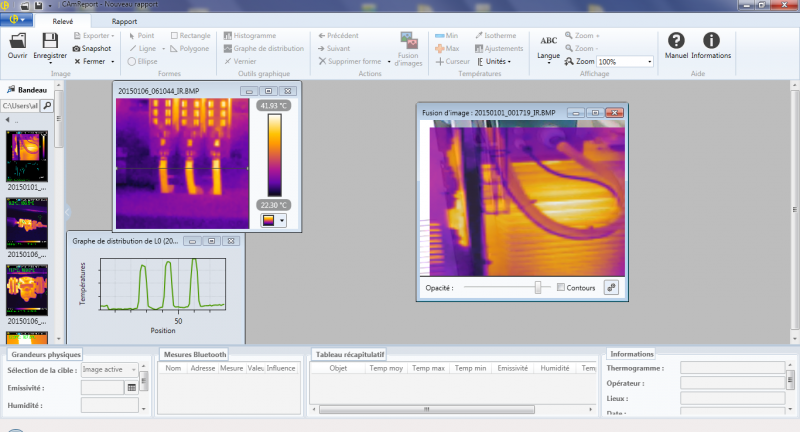
The CAmReport AI software is equipped with a very simple user interface for:
> Analysis of the thermograms with the following tools:
- Cursors (automatic display of the temperature at the point selected).
- Thermal profile (automatic display of the Min/Max/Avg temperatures on the line).
- A square or circle for area analysis
- Polygons and polylines for more accurate analysis of certain areas in the thermogram.
Results tables quickly and automatically display all the information/analysis tools on the thermogram.
.
> Recovery of voice comments or related measurements
> Automatic merging of the thermal and real images recorded simultaneously
> The AI assistant analyses the equipment and automatically fills in observations and recommendations from your image,saving you valuable time.
> Automatic creation of reports for export in .pdf or .docx format.
Configuration required:
Windows 11 :
850 MB RAM for 32-bit
2 G for 64-bit
NET Framework 4.0 minimum
System: Windows 11
Language: Multilingual (15 languages including French, English, German, Spanish, Italian , Dutch, Polish, Romanian, Czech, simplified Chinese, Portuguese, Swedish, Finnish, Turkish, Korean)
Version: v3.3.1.0 compatible with camera model C.A 1950 & CA1954.
| camreport_ai_3.3.1.0.zip | Updated : 06/2026 Languages : Multilingual (15 languages) Version : v3.3.1.0 |
PAT-Power Analyser Transfer
The PAT Power Analyser Transfer software can be used to control the single-phase wattmeters and energy analysers, as well as the multimeter clamps.
The PAT software is a tool for:
- Configuring the instruments,
- Downloading and viewing the data stored in the memory,
- Performing instantaneous acquisition operations,
- Displaying the data as a table or graph,
- Exporting the measurement data into DataView (*.dvb files) or into a spreadsheet.
For CA 8220/8230 CA 8332/32B/34/34B, CA8335/8435 (firmware versions v3.x) and F407 F607 use PAT, the main changes on PAT are :
- bugs fixed.
For CA 8331/33/36, CA 8436 et CA8335 (firmware version v4.x) use PAT2, the main changes on PAT2 are :
- added new language bulgarian
- bugs fixed.
Caution: DataView is not supplied with the PAT/PAT2 software
| pat-v3.08.0018.zip | Updated : Nov 2019 Language : Multilingual Version : v3.08.0018 |
| pat2_v1.8.16142.zip | Updated : June 2026 Language : Multilingual Version : v1.8.16142 |
