















Softwares herunterladen
Um alle Möglichkeiten der Support-Site zu nutzen, empfehlen wir Ihnen, sich zu registrieren.
Falls Sie noch kein Konto besitzen, sollten Sie eins anlegen. Durch Klicken auf "Mein Konto" können Sie die darin gemachten Angaben jederzeit ändern.
Die Chauvin Arnoux Gruppe möchte Ihnen einen optimalen Online-Service anbieten. Wenn Sie uns etwas mitteilen möchten, schreiben Sie einfach eine E-Mail an support@chauvin-arnoux.com.
5 Ergebnis(se) :
Trend Duration Calculator
Trend Duration Calculator for Qualistar+ & C.A 8230 Available in French and English, this tool can be used to simulate the possible recording duration of the QualistarPlus models. Select the instrument and the parameters which you wish to record, along with the acquisition interval. The possible recording duration, based on the assumption that the memory is empty, and the end date are calculated and displayed automatically.
|
|||||
| trenddurationcalculatorsetup_v1-0.zip | Date de mise à jour : 13/01/2014 Langue : Multilingue Version : V1.0 |
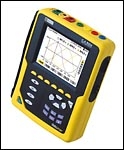
C.A 8332-8334 QUALISTAR
| Qualistar v3.0 | |
| Download the latest version of the firmware for Qualistar C.A 8332 or C.A 8334. To download this firmware, please click on the links below and refer to the "read-me first.txt" file included. Firmware 3.0 This software is available in two language sets.
|
| qualistar_firmware_3-0_fr-en-de-it-es-pt.zip | Date de mise à jour : 26/10/2004 Langue : Multilingue Version : V3.0 |
| qualistar_firmware_3-0_pl-en-nl-ro-cs-sv.zip | Date de mise à jour : 26/10/2004 Langue : Multilingue Version : V3.0 |
Qualistar Plus firmware v5.0
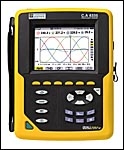
Firmware for Qualistar Plus C.A 8331, C.A 8333, C.A 8336 & C.A 8436 network analysers.
To download the firmware, click on the link below and refer to the "read-me first.txt" file included. This firmware upgrade is compatible with all previous hardware versions.
| firmware-qualistarplus_v5.0_fr.zip | Updated : 02/07/2018 Language : French Version : V5.0 |
| firmware-qualistarplus_v5.0_en.zip | Updated : 02/07/2018 Language : English Version : V5.0 |
DataView software
DataView is a powerful tool for configuration, transfer and processing of measurement data for an extensive range of Chauvin Arnoux measuring instruments. The DataView Suite groups the DataView report editor and the PEL Transfer, PAT, PAT2, Data Logger, GTC, GTT, ICT, DTR, SLII MEG and MOT application software. For the download, a software key will be requested. this key is attached to the CDrom you received following the DataView software purchase.
DataView v3.62.0016
Compatible instruments :
- PEL 102, PEL 103, PEL 104, PEL 105, PEL 106 ; power and energy loggers;
- F407 and F607 power and harmonics clamps;
- C.A 8220 and 8230 single-phase power analysers;
- Qualistar C.A 8331,8332, 8333,8334, 8335, 8435, 84368336 and 8345.
- C.A 6526, 6532, 6534, 6543, 6547, 6549, 6550 and 6555 megohmmeters;
- C.A 6240, 6250, 6255 and 6292 micro-ohmmeters;
- C.A 6470N, 6471 and 6472 earth testers;
- C.A 6417 earth clamp;
- DTR 8510 ratiometer for transformers;
- Simple Logger II and L452;
- C.A 1110, 1227, 1246, 1821, 1822, 1510,1823, 10101, 10141 physical measurement devices;
- C.A 6116, 6116N and 6117 electrical installation testers
Languages
DataView is available in the following languages: German, English, Chinese, Spanish, French, Italian, Dutch, Polish, Swedish, Czech and Turkish
| dataview.v3.62.0016.zip | Updated : 01/2023 Language : Multilingual Version : v3.62.0016 |
PAT 3 Software v1.8 & Samples
The PAT 3 Software - Power Analyser Transfer allows you to control your CA 8345 energy analyser.
To download this software, please click on the entilted file "x05077j00_pat3_1.8.zip" and unzip it. After that, double click on the "Setup.exe" to install it.
The PAT 3 Software is a tool for :
- Configure your CA 8345,
- Download and view data in memory,
- Make instantaneous acquisitions,
- Display the data in tabular or graphical form,
- Export measurement data to DataView (*.dvb files) or to a spreadsheet.
Once the PAT 3 software is installed, you can download the samples below which are available to you. To do this, download the file and unzip it. Once you have done this, save the file to /DataView/DataFiles/Qualistar Class A.
Recordings samples are :
- Trends
- Alarms
- Configuration
- Inrush
- Monitoring
- Photos
- Transcients
| pack_sample_pat3.zip | update 11/2022 |
| x05077j00_pat3_1.8.zip | Updated : 06/2026 Language : Multilingual Version : 1.8 |
